UNdergraduate Ethics Module Instructions
You must use Firefox or Chrome to complete this module.
The following 3 items must be submitted after module is graded in PDF FORMAT:
- Copy of your Preassessment answer
- Copy of your Final Assessment answer
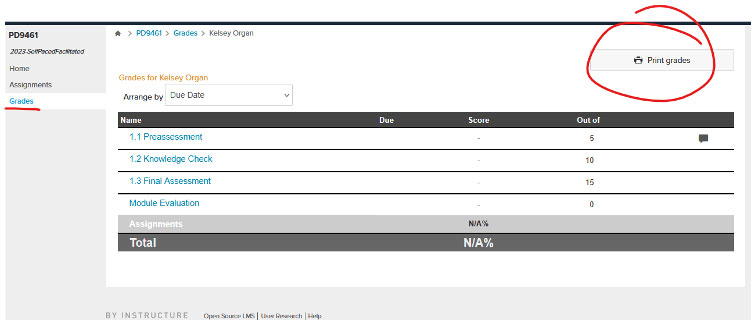
- Final Grade Ethics Module Grade Screen
- Once on the Homepage, click the log in button in the top right. If you have an existing
account please log in (top right corner).
- For most you will need to register for a new account. Click the Login button in the top right then "Register".
- For new users/first time registrations, enter your first and last name (this must be
your legal name) and email address.
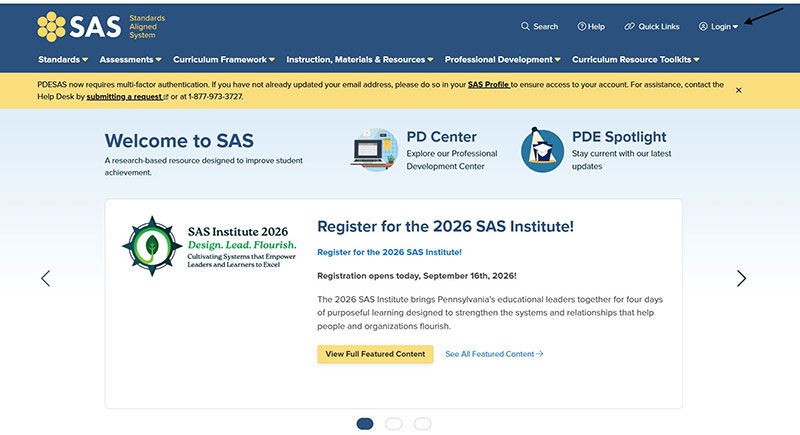
After your account is created: Go to "Log In" Button at the top corner. Complete verification steps until you are brought back to the Welcome to SAS/Homepage.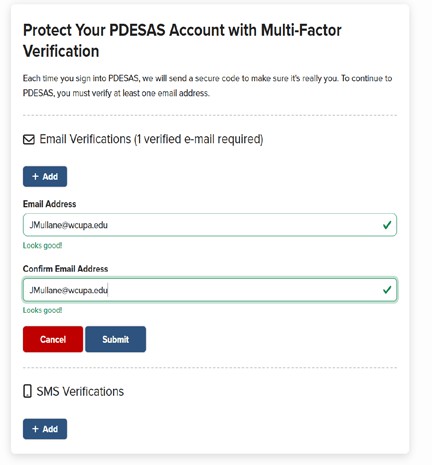
- After you register you will be directed to "My Profile" page; confirm personal information;
or click profile from your LogIn/SAS Tools drop down menu (top right corner).
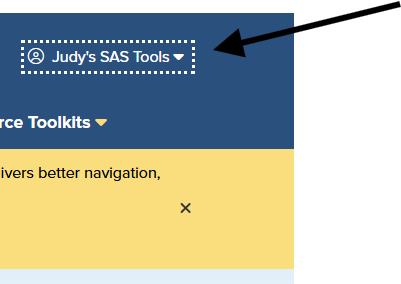
- Confirm your personal information in "My Profile" box.
- Ignore the PPID section: Undergraduate students will not have a PPID number.
- On "My Profile" page go to top ribbon and click "Professional Development Center".
Then select "Professional Development Center" from the dropdown
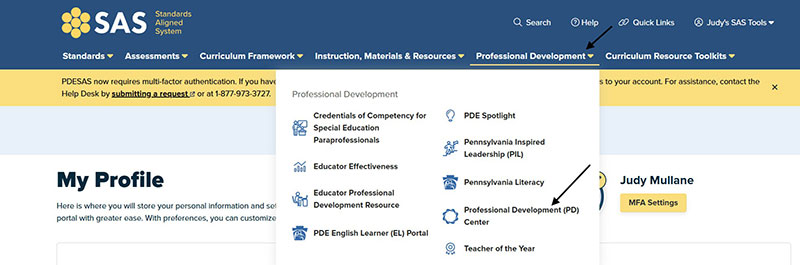
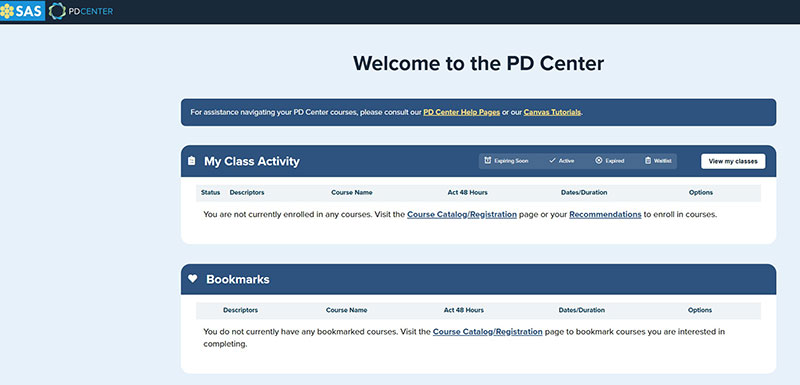
- After clicking on the Professional Development Center please login again with your created account.
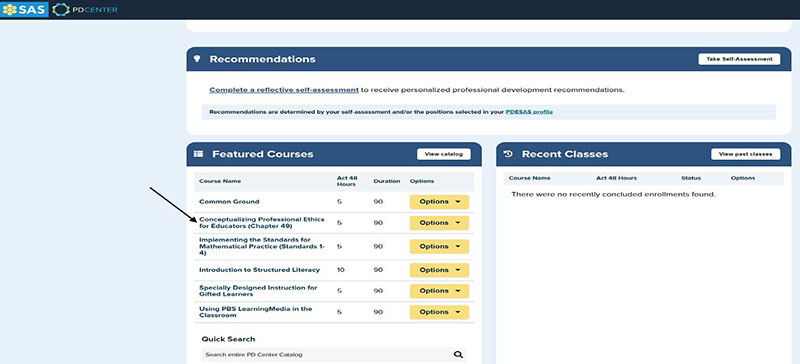
- On the PD Center, scroll down this page to "Featured Courses". Click on "Conceptualizing
Professional Ethics for Educators (Chapter 49)"; Click on yellow "Options" button;
under options click on "Register"; this will take you to the Course Registration page.
This course must be completed within 3 months of registering.
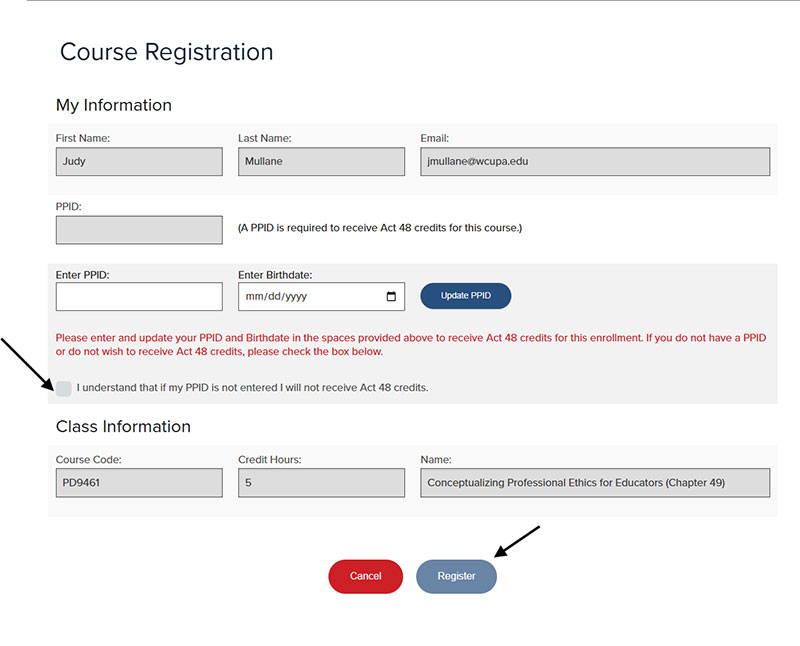
- Course Registration page:
- Confirm your name, email address.
- Undergraduate students will not have a PPID number. Please check the box that states "I understand that if my PPID is not entered I will not receive Act 48 credits".
- Enter your birthdate.
- Click "Register" blue button at the bottom of the screen
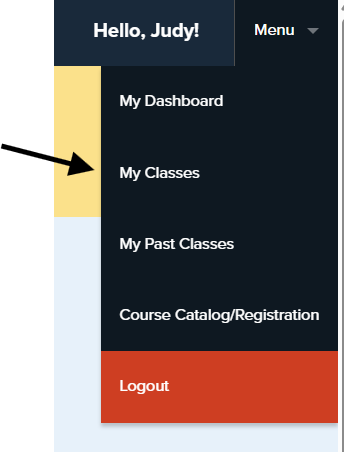
- Once you have successfully registered, go to the Menu drop down (top right corner)
Click on "My Classes".
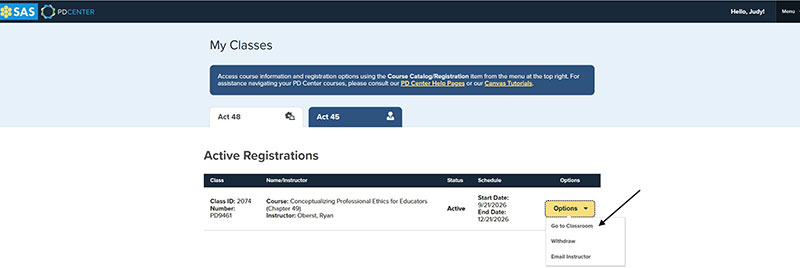
- On the "My Classes" page, you will find your Active Registrations. Select the "Options"
drop-down next to the course name and select "Go to Classroom". You will then be redirected to your Learning page. This course must be completed
within 3 months of registering.
- The following 3 items must be submitted to RamPortal after module is graded in PDF FORMAT:
- Copy of your Preassessment answer
- Copy of your Final Assessment answer
- Final Ethics Module Grade Screen
How to Save Preassessment and Final Assessment as PDF:
- Copy and Paste what you wrote into a word document
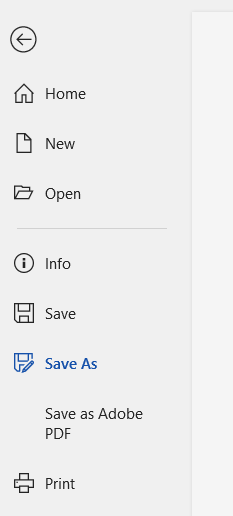
- In word: Click File in the top left Corner; then Save As or Save As Adobe PDF
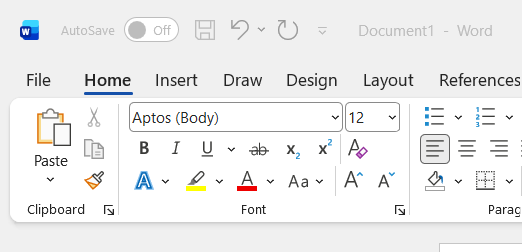
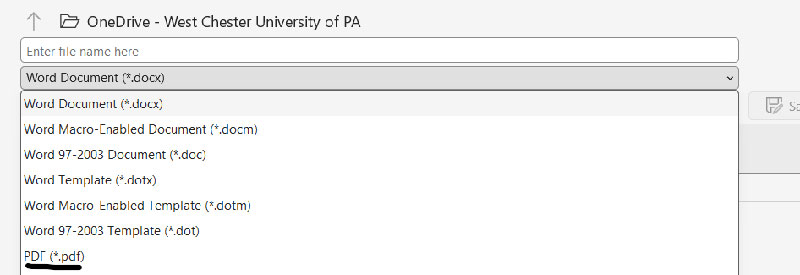
If Selecting Save As, please change the file type to PDF under where you enter the file name
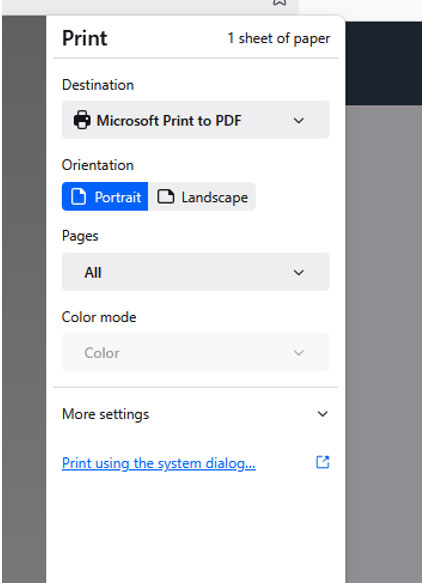
How to print grades:
Click the Print Grades button from the Grades Tab. And Select the Option Microsoft Print to PDF. Save this for submission