
Alumni Connections Dashboard
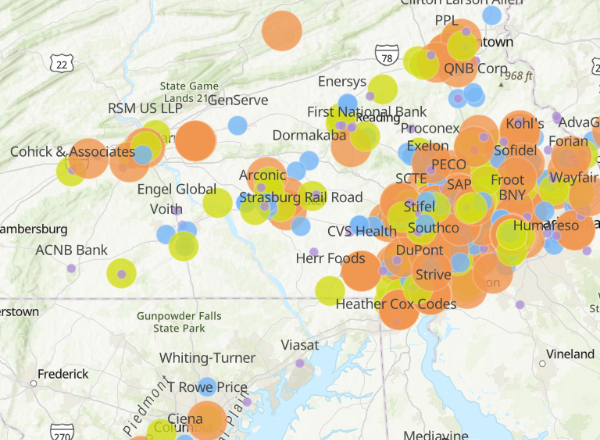
This dashboard highlights regional employers with WCU alumni connections. The map visualizes employers by the size of their alumni network and allows you to explore connections by industry.
How to Use this Dashboard
- Navigate Employers by Alumni Size
- Zoom in on the map to explore a specific area. Larger employer circles indicate a greater number of WCU alumni or affiliated members, representing graduates from various majors.
- Identify Alumni Connections by Industry and Other Filters
- Use the filter panel on the left to explore employers by industry, company size, organization type, location, and more. For example, selecting “Consulting Services (General)” will update both the map and the employer list accordingly. You can then compare larger and smaller circles to identify consulting firms with varying levels of WCU alumni connections.
- Explore Alumni Connections at Your Target Employers
- Click any employer dot on the map to view its details. Scroll to the “Alumni Record” section to see the number of available LinkedIn profiles. Click “View” to access individual alumni LinkedIn profiles.